x64 vs ARM Architecture: The Complete 2026 Comparison Guide for Laptops & Servers

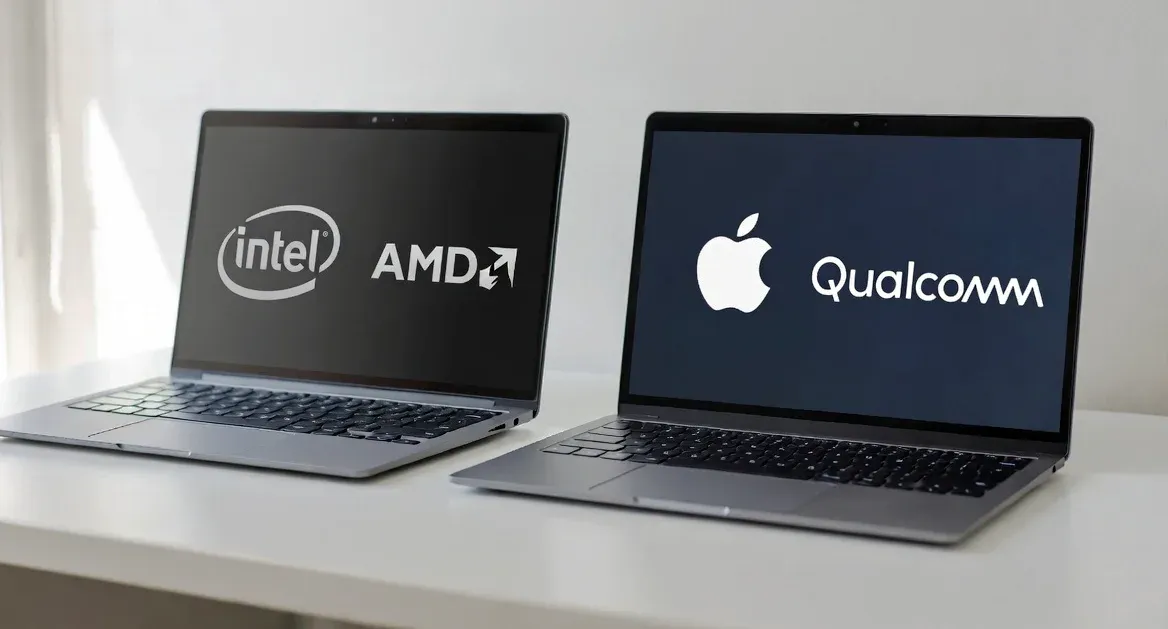
If you've been shopping for a laptop lately, you've probably noticed the landscape has gotten... complicated. "Go ARM, the battery life is insane." "Stick with x64, you'll have fewer headaches." Everyone's got an opinion, and honestly? They're all partially right.
Here's the thing—the old rules don't apply anymore. Back in 2020, the choice was simple. x64 meant desktops and laptops. ARM meant your phone. Clean, easy, done.
Fast forward to 2026, and that neat little division has completely fallen apart. Apple went all-in on ARM with their M-series chips and proved you could have desktop-class performance without melting your lap. Qualcomm's Snapdragon X2 Elite is now going toe-to-toe with Intel and AMD in Windows laptops. And in data centers? ARM servers are eating x86's lunch.
So let's cut through the noise and figure out what actually matters when choosing between these two architectures.
The Fundamental Difference: CISC vs RISC
Before we get into benchmarks and battery life, we need to talk about why these architectures are different in the first place.
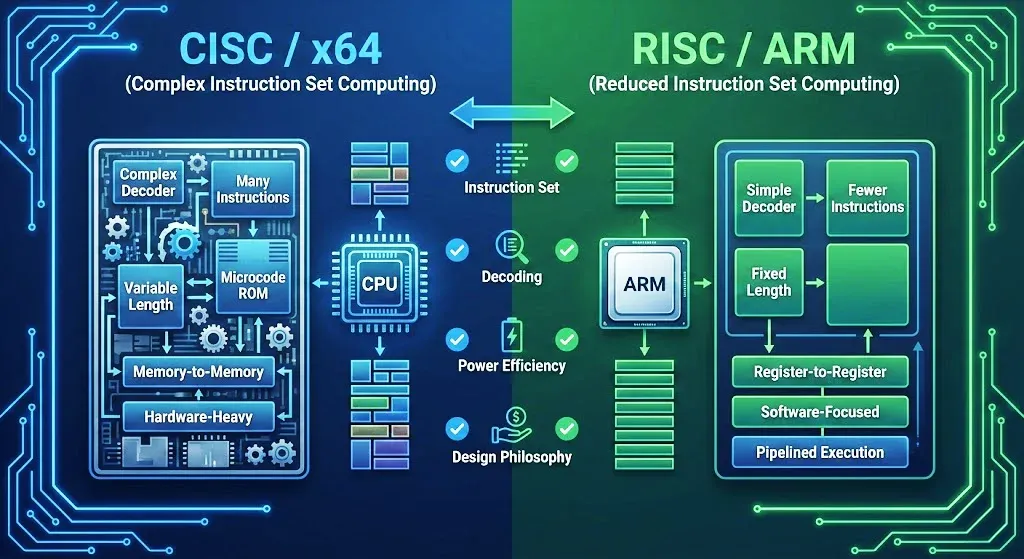
x64 uses CISC (Complex Instruction Set Computing). Think of it like giving someone detailed, multi-step instructions all at once. "Go to the fridge, grab the milk, pour it into a glass, and put the milk back." One instruction, multiple actions.
ARM uses RISC (Reduced Instruction Set Computing). Same task, but broken down: "Go to fridge." "Open fridge." "Grab milk." "Close fridge." You get the idea—simple instructions, one thing at a time.
Intuitively, CISC sounds more efficient, right? Fewer instructions should mean faster execution. But here's where it gets interesting.
Those complex CISC instructions require beefy decoders to interpret them. Bigger decoders mean more transistors, more power consumption, and more heat. ARM's simpler instructions need smaller, more efficient decoders. The chip can blast through simple instructions incredibly fast using a technique called pipelining—essentially an assembly line for instructions.
The result? ARM chips can often match or beat x64 performance while sipping power like they're on a diet. That's why your phone lasts all day on a tiny battery while your gaming laptop dies in two hours.
The Real Secret Sauce: SoC Design and Unified Memory
Here's what most "x64 vs ARM" comparisons get wrong: they focus entirely on the instruction set and ignore the architecture around it.
ARM's recent dominance isn't just about efficient instructions. It's about how the whole system is designed.
Traditional x64 systems are modular. CPU here, GPU there, RAM in slots, everything connected by buses. Data has to physically travel between these components, and every trip introduces latency.
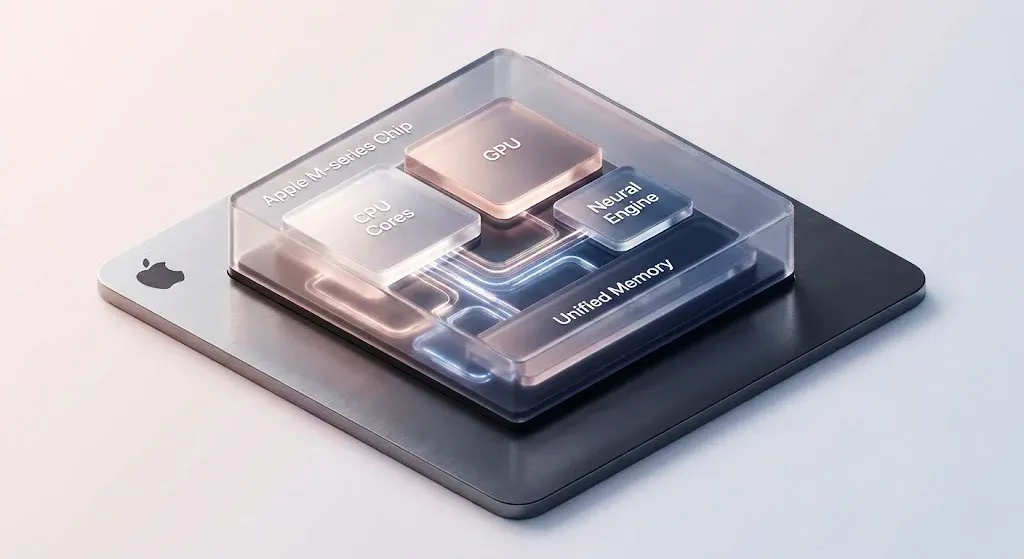
Modern ARM chips like Apple's M-series and Qualcomm's Snapdragon X use a System-on-Chip (SoC) design. CPU, GPU, Neural Engine, memory controller—all of it lives on a single piece of silicon. Data doesn't have to commute; it's already there.
Then there's Unified Memory Architecture (UMA). Instead of the CPU and GPU having separate memory pools, they share everything. No copying data back and forth. When you're editing 4K video or running AI models, this eliminates a massive bottleneck.
Apple's M5 chip pushes 153GB/s of memory bandwidth—a 27.5% jump from the M4. That's not just a spec sheet number; it translates directly to snappier performance in real-world creative workflows.
The trade-off? You can't upgrade the RAM later. It's soldered onto the chip. With x64 systems, you can often pop in more memory down the road. Pick your poison.
Software Compatibility: The Problem That (Mostly) Isn't
For years, the knock against ARM was simple: your software won't work.
Decades of x86 programs, games, and enterprise tools—none of it ran natively on ARM. And emulation? Painfully slow.
That's ancient history now.
Apple's Rosetta 2 was the proof of concept. When the first M1 Macs launched, x86 apps ran through translation with barely noticeable performance loss. It was borderline magic.
Microsoft's Prism emulator for Windows on ARM has matured significantly. Early Snapdragon laptops had legitimate compatibility headaches, but after two years of updates, most users can't tell whether an app is running natively or through emulation. The performance gap has shrunk to 10-30% for most applications, and many common tools—browsers, Office, creative apps—now have native ARM versions anyway.
Gaming is the last frontier. Qualcomm claims over 90% of the most-played Windows games will run on Snapdragon X2 laptops at launch. DirectX 12 support is solid, and major engines like Unreal 5 and Unity are increasingly shipping ARM-native builds.
That said, we're not at parity yet. AAA titles running through emulation still take a 30-35% performance hit in demanding scenarios. Anti-cheat software has been a persistent headache, though kernel-level support for Easy Anti-Cheat means Fortnite now runs at 80-120fps on Snapdragon X Elite. Legacy games with old DRM? Your mileage may vary.
For productivity, browsing, and casual gaming, compatibility is essentially a solved problem. For competitive gaming and niche professional software, check before you buy.

The 2026 Market Landscape: Who's Winning?
The Laptop Wars
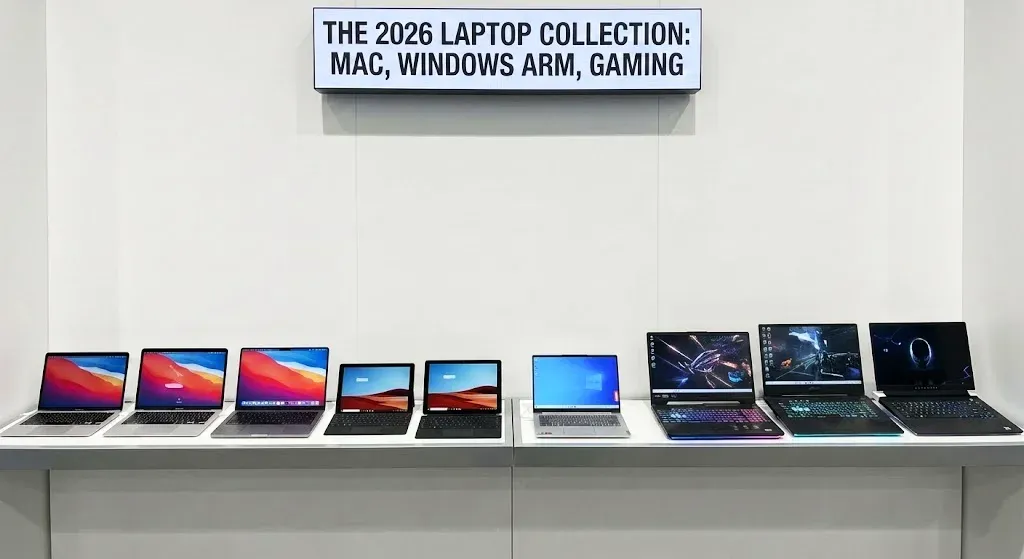
Apple's M-series continues to set the benchmark. The M5, announced in October 2025, delivers 15% faster multi-threaded CPU performance and up to 45% better graphics than the M4. But the real story is AI: the new Neural Accelerators in each GPU core provide over 4x the peak GPU compute for AI workloads. The 14-inch MacBook Pro now stretches to 24 hours of battery life.
On the Windows side, Snapdragon X2 Elite is making serious waves. The chips shipping in early 2026 promise 75% faster CPU performance and more than double the GPU performance per watt compared to the first-gen X Elite. The flagship X2 Elite Extreme packs 18 cores and an 80 TOPS NPU—numbers that compete directly with Apple's high-end silicon.
Lenovo's Yoga Slim 7x with X2 Elite claims up to 29 hours of battery life starting around $950. That's MacBook Air territory in both endurance and price, but running Windows.
x64 Fights Back
Intel isn't rolling over. Panther Lake (Core Ultra Series 3), unveiled at CES 2026, is manufactured on Intel's own 18A process and promises Lunar Lake's efficiency with Arrow Lake's performance. Intel claims 50% better power efficiency than AMD's Ryzen AI 300 and up to 77% better gaming performance versus the competition. Battery life? Up to 27 hours.
AMD's Ryzen 9000 series and particularly the X3D variants remain the gaming kings. The Ryzen 7 9800X3D with 3D V-Cache technology delivers the best gaming performance of any consumer CPU, period.
The bottom line: ARM is rapidly capturing the ultrabook and general productivity market, while x64 maintains its grip on high-performance gaming and workstations. Snapdragon X has reportedly captured 15-20% of the ultrabook segment—a seismic shift from just two years ago.
The Data Center Revolution
Consumer laptops get all the headlines, but the really dramatic shift is happening in server rooms.
AWS Graviton has been the tip of the spear. The Graviton5, announced in December 2025, packs 192 cores per chip and delivers 25% better performance than the previous generation. It's built on a 3nm process with 5x more L3 cache.
Here's the stat that should make Intel and AMD nervous: 98% of AWS's top 1,000 EC2 customers are already using Graviton. We're talking Adobe, Airbnb, Epic Games, Pinterest, SAP. And for three consecutive years, more than half of all new CPU capacity added to AWS has been Graviton.
Microsoft Azure has Cobalt 100 and Cobalt 200 processors. Google Cloud is expanding Axion. Nvidia's Grace CPUs power the GB200 and GB300 AI servers. ARM predicted they'd hit 50% of hyperscaler compute shipments by 2025—and they're tracking right on target.
The driver? Power efficiency. Graviton instances use up to 60% less power for equivalent workloads. When you're running millions of servers, that translates to tens of millions in annual savings. With energy costs rising and carbon regulations tightening, the economic case for ARM in the data center is becoming impossible to ignore.
ARM's penetration in enterprise data centers is slower—legacy software and inertia are real—but the hyperscalers are setting the template.

AI Performance: ARM's New Battleground
Every chip announcement in 2026 mentions AI, and for good reason—it's reshaping how we evaluate processors.
ARM chips have been integrating NPUs (Neural Processing Units) from the ground up. Apple's M5 has Neural Accelerators embedded in every GPU core, delivering 4x the AI compute performance of the M4. Snapdragon X2 Elite boasts 80 TOPS of NPU performance—significantly higher than current Intel or AMD laptop chips.
What does this mean in practice? On-device AI runs dramatically better on ARM. Local LLM inference, image generation, real-time translation—tasks that would drain an x64 laptop's battery in hours can run efficiently on ARM all day.
Microsoft's Copilot+ PC initiative is built around this capability. Windows 11 version 26H1 is launching exclusively on Snapdragon X2 devices first, specifically because the AI features are optimized for ARM's NPU architecture.
x64 is catching up. Intel Panther Lake and AMD Ryzen AI both include dedicated AI accelerators. But as of early 2026, ARM has a clear lead in on-device AI efficiency.
The caveat: if you're doing serious AI training or running massive models locally, you still need a discrete GPU. An RTX 4090 or 5090 in an x64 workstation crushes anything integrated. ARM's advantage is in inference and everyday AI tasks, not cutting-edge development.

Gaming: x64 Still Reigns
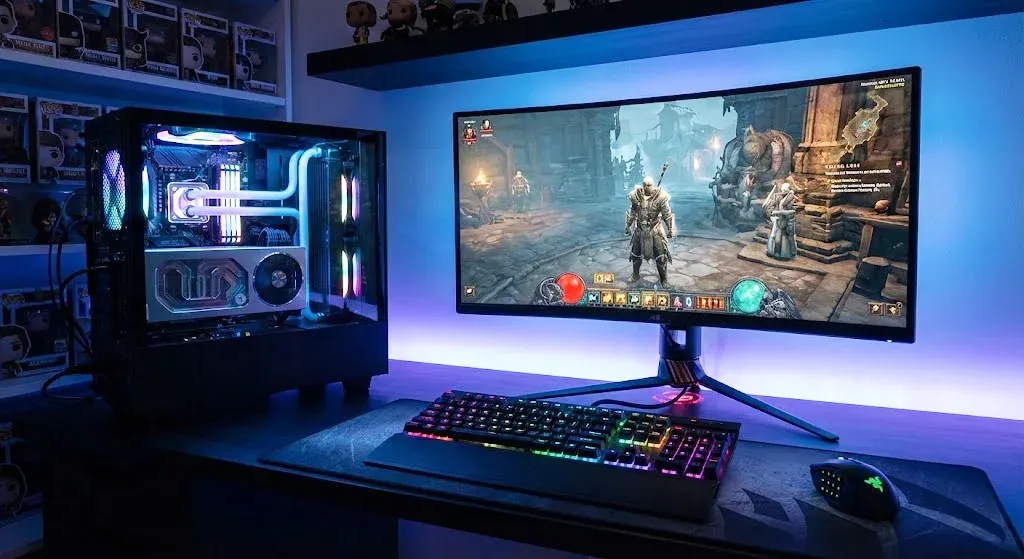
Let's be real: if gaming is your priority, x64 is still the way to go.
Running AAA titles through x86 emulation on Snapdragon X Elite costs you 30-35% performance. A game that should hit 60fps at 1440p high settings might land at 30-35fps instead. Playable? Sure. Optimal? Not even close.
AMD's Ryzen 7 9800X3D with 3D V-Cache remains the best gaming CPU money can buy. Intel Panther Lake's integrated graphics claim 77% better gaming performance than competitors at the same power level.
And then there's the discrete GPU factor. If you want an RTX 5080 or 5090 pushing 4K at max settings, your only option is x64. ARM simply doesn't have a comparable hardware ecosystem for high-end gaming rigs.
That said, the gap is narrowing. Game engines are increasingly compiling native ARM builds. Anti-cheat compatibility is improving. Fortnite runs at 80-120fps on Snapdragon X Elite post-update. Rumors suggest Qualcomm is developing ARM chips specifically for gaming handhelds.
Cloud gaming works beautifully on ARM laptops. Xbox Game Pass, GeForce Now, Luna—they stream regardless of local hardware. With 20+ hour battery life, an ARM ultrabook might actually be the ideal cloud gaming device.
Give it another two years, and this section might read very differently.
So, What Should You Actually Buy?
Here's the practical breakdown.
Go ARM if:
- Battery life is non-negotiable. MacBooks and Snapdragon laptops routinely hit 20+ hours. Nothing x64 comes close.
- You want silent operation. ARM enables fanless or near-silent designs that x64 can't match at comparable performance levels.
- AI features matter to you. On-device AI assistants, local image generation, real-time translation—ARM's NPUs handle these more efficiently.
- You're doing creative work. Especially in the Apple ecosystem, where Final Cut Pro and Logic Pro are M-series optimized.
- You're managing cloud infrastructure costs. Graviton and Cobalt instances offer meaningful TCO savings over x86 equivalents.
Go x64 if:
- You're a serious gamer. AAA titles at max settings still require x64 + discrete GPU.
- Your work demands high-end horsepower. 3D rendering, CAD, scientific simulation—x64 workstations are still the only game in town.
- You depend on specific legacy software. Some industrial and niche professional tools simply don't run on ARM yet.
- You want upgradeability. Swapping RAM or storage yourself is typically only possible on x64 machines.
Either works fine if:
- You mostly browse, email, stream, and do office work.
- You're doing web development or scripting.
- You're not pushing the hardware to its limits.

The Bottom Line
The x64 vs ARM debate isn't about which architecture is "better" anymore. That framing is obsolete.
ARM has closed the performance gap while maintaining its efficiency advantage. It dominates mobile, has taken over significant laptop market share, and is rapidly becoming the default in hyperscale data centers. Apple's M-series proved the concept; Snapdragon X2 and Graviton are scaling it.
x64 retains critical strongholds in high-performance gaming, professional workstations, and legacy enterprise environments. Intel and AMD aren't sitting idle—Panther Lake represents Intel's most ambitious efficiency push in years, and AMD's gaming performance remains unmatched.
The future isn't one architecture winning and the other dying. It's both architectures converging toward different optimums while competing fiercely in the middle ground.
Your job is simpler: figure out what you actually need, then pick the platform that delivers it. The good news? In 2026, there's never been a better time to be a buyer. Competition is fierce, options are plentiful, and performance keeps climbing.
Choose based on your workflow, not tribal loyalty to a chip vendor. You'll end up happier.